
What we did with 7.1
The Tabs block gets full theme styling. Tabbed content is one of those things every agency page eventually needs (fee schedules, department hours, permit types, the list goes on) and until now, using the core block meant your tabs looked like somebody else’s tabs. Now they look like your site.
New pattern: “Bid Ideas Section”
Big Idea Section is a full-width band, a heading and one paragraph on a light background, and its entire job is to slow the page down. A mission statement. A guiding principle. The one idea the rest of the page is built on. It ships in content-only mode, so an editor drops it in and types over the heading and the paragraph without touching the layout (double-click into the pattern if you actually need to change the background color or the padding). You’ll find it in the inserter under About, Text, or Sections.
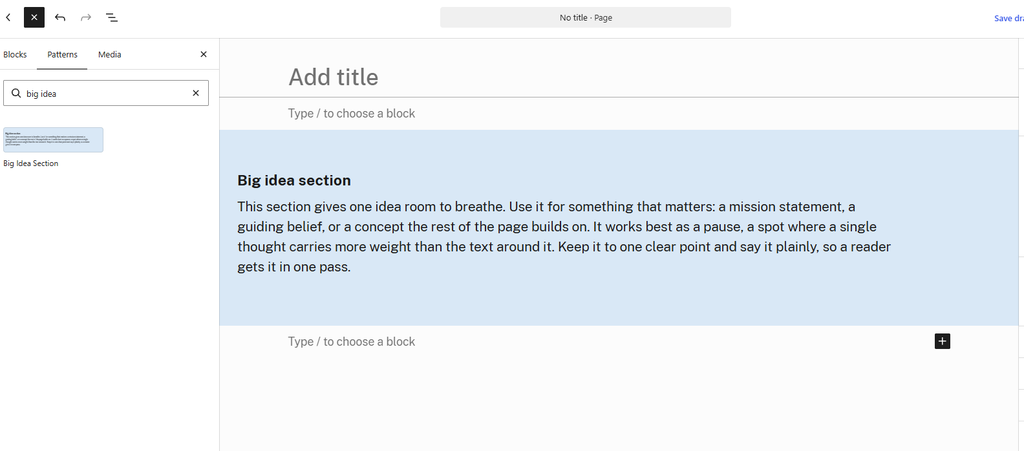
One tip I’d underline: use it sparingly. The pattern works because of the contrast with whatever sits above and below it, so it reads as a deliberate break in rhythm. Stack two of them back to back and you’ve built a page with no pause in it at all.
New pattern: “Featured Icon List Section”
Featured Icon List Section is the other one, and it does more work. A bold heading and a lead paragraph up top, then three columns underneath, each with a small icon, a short subheading, and a paragraph. Three programs an agency offers. Three steps in a permit process. Three reasons the bond measure exists. It comes in Light and Dark variants, which matters more than it sounds like it should, because a page running five light sections back to back reads as one long undifferentiated scroll, and the Dark variant gives you somewhere to break that up.
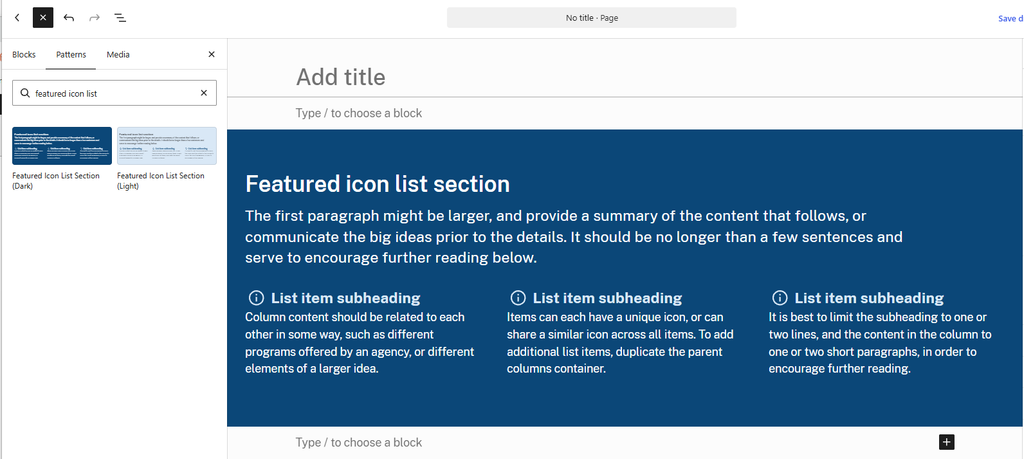
It’s also the pattern that makes the USWDS icon work in this release pay off. Icons in the Icon block, and a pattern built around icon columns, shipping together.
Keep the column subheadings to two to four words and let the paragraph do the explaining. Use the same icon style across all three columns, outline or filled, so they read as a set. And if you need a fourth column, duplicate one of the existing column blocks inside the Columns container, though I’d stop there. Four or more starts to feel cramped the moment somebody opens it on a phone.
The complete changelog lives at civicpress.us/changelog.
Have questions or want to see CivicPress in action? Get in touch.