
In CivicPress 0.5.6, we added two new block patterns. The first is a Large Page Header pattern. Here’s what it looks like out of the box.
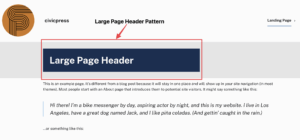
But let’s say you want to create a unique look for internal pages. Using a Cover Block with a Background image and inserting the Large Page Header Pattern, you can give your pages a custom look and feel.

The second block pattern we’ve included is One Column of Text. This is a versatile block pattern that displays a blurb of text where the first paragraph is larger than the second, providing emphasis to initial information. The single-column format maximizes readability, especially on mobile.

Examples for utilizing the One Column of Text Block Pattern include:
- A Welcome Message on the homepage or an About page.
- A Single-topic public update like “Upcoming Road Closures” or “Budget Highlights for 2025.”
- Use for publishing a briefing or statement from a department head
- Legislation Summary or Fact Sheet
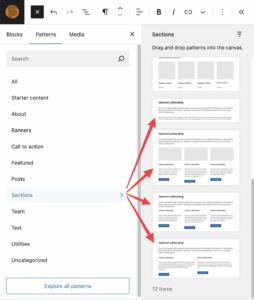
We’ve also improved Page Block Pattern organization by creating a “Sections” pattern category for all full-width page-building sections.
With CivicPress, we’re making it easier than ever to create pages that are clear, compelling, and tailored to your audience.
Stay tuned as the future of CivicPress is only getting brighter!