
CivicPress 0.7.4 is out. This one keeps going down the road 0.7.3 started: get the design system out of some other tab and into the place you’re actually working. Three changes, all aimed at the editing experience.
Edit your global status colors from the admin
Status colors are the alert styles across your site: the information, warning, success, error, and emergency messages a visitor runs into. Every one of them has a color, and until now those colors were the theme defaults. If your agency’s warning yellow wasn’t our warning yellow, your options were to live with it or write custom CSS to override it (and then maintain that CSS forever, which nobody actually wants to do).
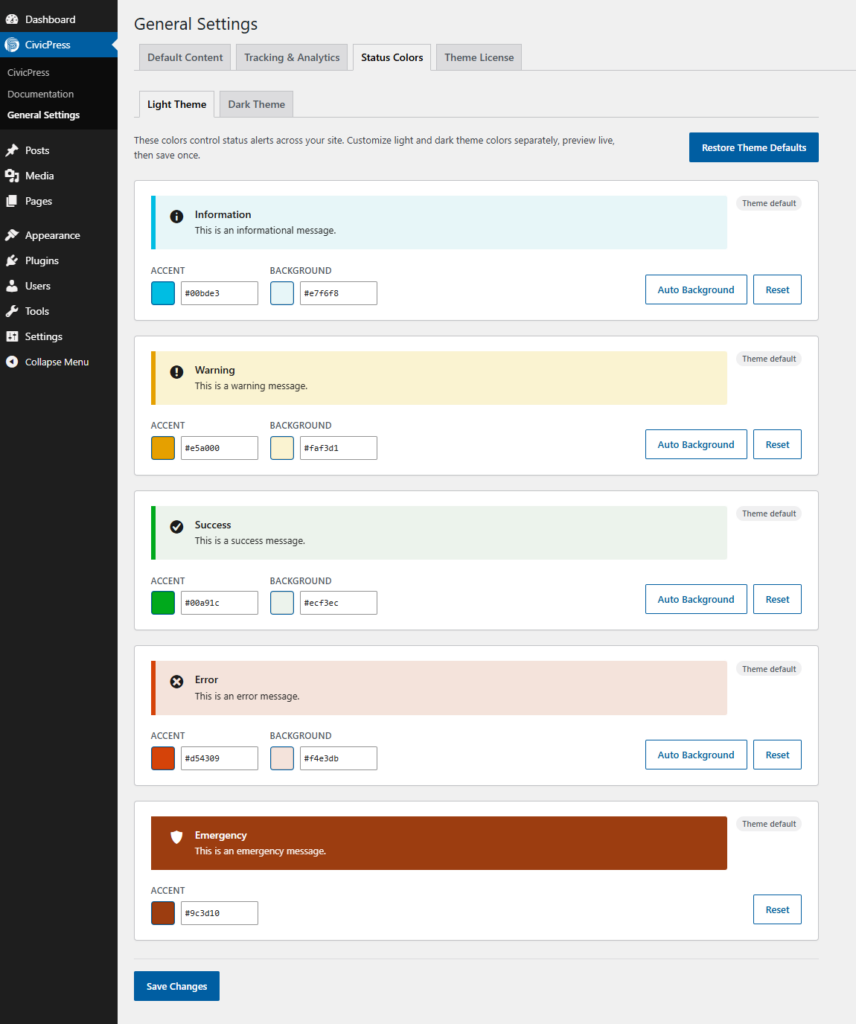
Now there’s a screen for it, right in the CivicPress menu under General Settings. Each status type gets an accent color and a background color, and you set them for the light theme and the dark theme separately. There’s an Auto Background button if you just want a sensible tint pulled from the accent, a Reset on each one, and a Restore Theme Defaults if you want to wipe the slate. The previews update live as you go, so you’re not saving and refreshing to see what changed. Set it, preview it, save once.
Small thing on paper. But status alerts are exactly where a public sector site needs to read as official and on-brand, and now you own those colors without touching a stylesheet.
Pattern guidance, right where you’re building
Two changes here and they go together. First, the documentation sections now show live demos of the patterns instead of just describing them. You see the actual pattern rendering, pulled from the theme, rather than reading about it and guessing. Second, the theme’s pattern guidelines now show up inside the content editor itself. So when you’re assembling a page and you reach for a pattern, the guidance for how to use it is right there next to you.
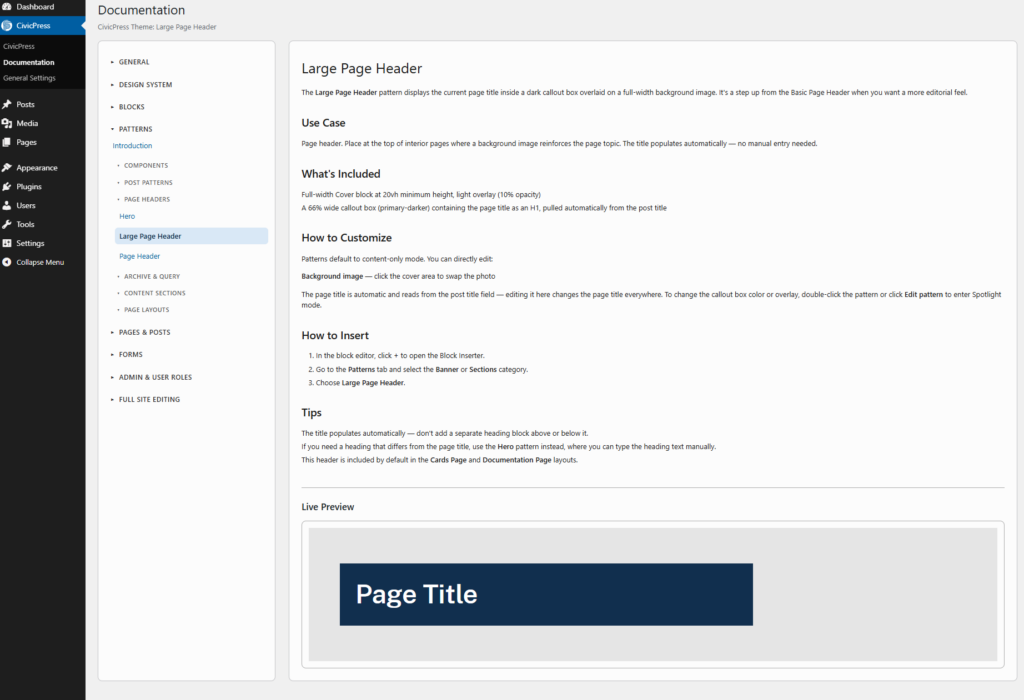
The information lives where the work happens, not three tabs away. Version 0.7.3 moved the docs and the design system into the CivicPress menu. This update puts the pattern guidance into the editor and makes the demos live.
The complete changelog lives at civicpress.us/changelog.